Line Connection Care
I designed an internet-support concept that helps customers understand an outage, try relevant fixes, and prepare a support request with the checks they have already completed.
Fictional provider and sample account. Connection checks, outage updates, and support actions are simulated.

When the internet stops, what comes next?
An interruption leaves people with a practical question: is the problem with the provider, the home router, or one device? Without a clear answer, it is easy to repeat checks or reach support with little useful context.
I used this as the starting point for a concept that connects troubleshooting, service updates, and human support in one place.
My contribution
I developed the concept and visual design in Figma, refined the interface text, and directed the AI-assisted build of the interactive prototype. The prototype covers three situations: an area outage, an offline router, and a problem affecting one device. It uses simulated data and is not connected to an internet provider.
My Working Process
Define the connection problem → map three troubleshooting scenarios → design the flows in Figma → refine instructions and support context → build an interactive prototype.
I separated provider outages, offline routers, and single-device problems because each requires a different next step. A known outage leads to repair updates; a router problem leads to guided checks. I carried the available incident details and completed checks into the support summary so customers would not need to repeat them. I directed the AI-assisted build into a working prototype with simulated data; it is a design exploration, not a live provider service or a user-validated solution.
Start with an answer and a useful action
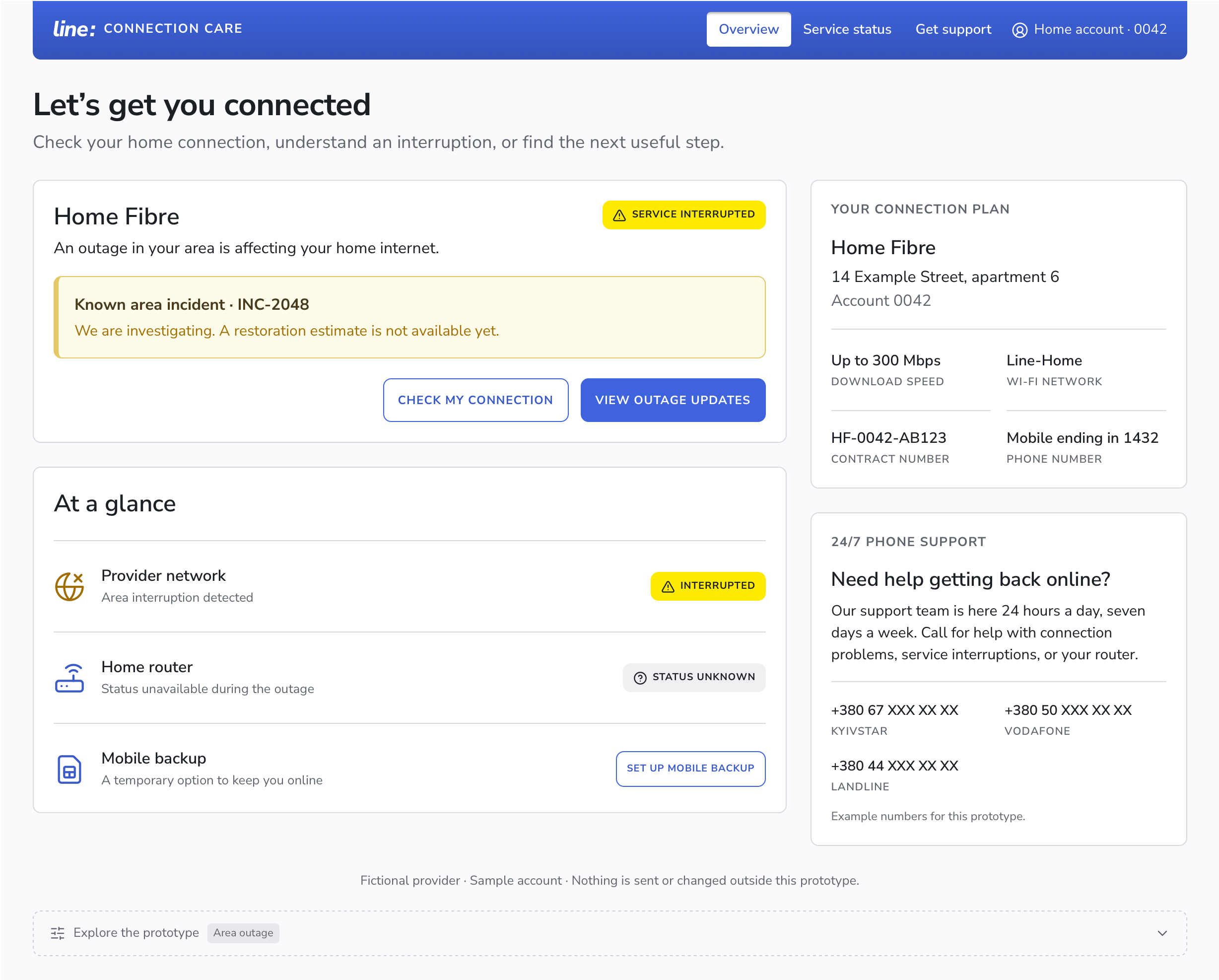
The overview shows connection status before account settings. During an area outage, the main action leads to repair updates. Customers can also check their connection or contact support.
A compact status summary separates the provider network, home router, and backup option. Plan and account information remain nearby without competing with the immediate problem.
Identify the problem before suggesting a fix
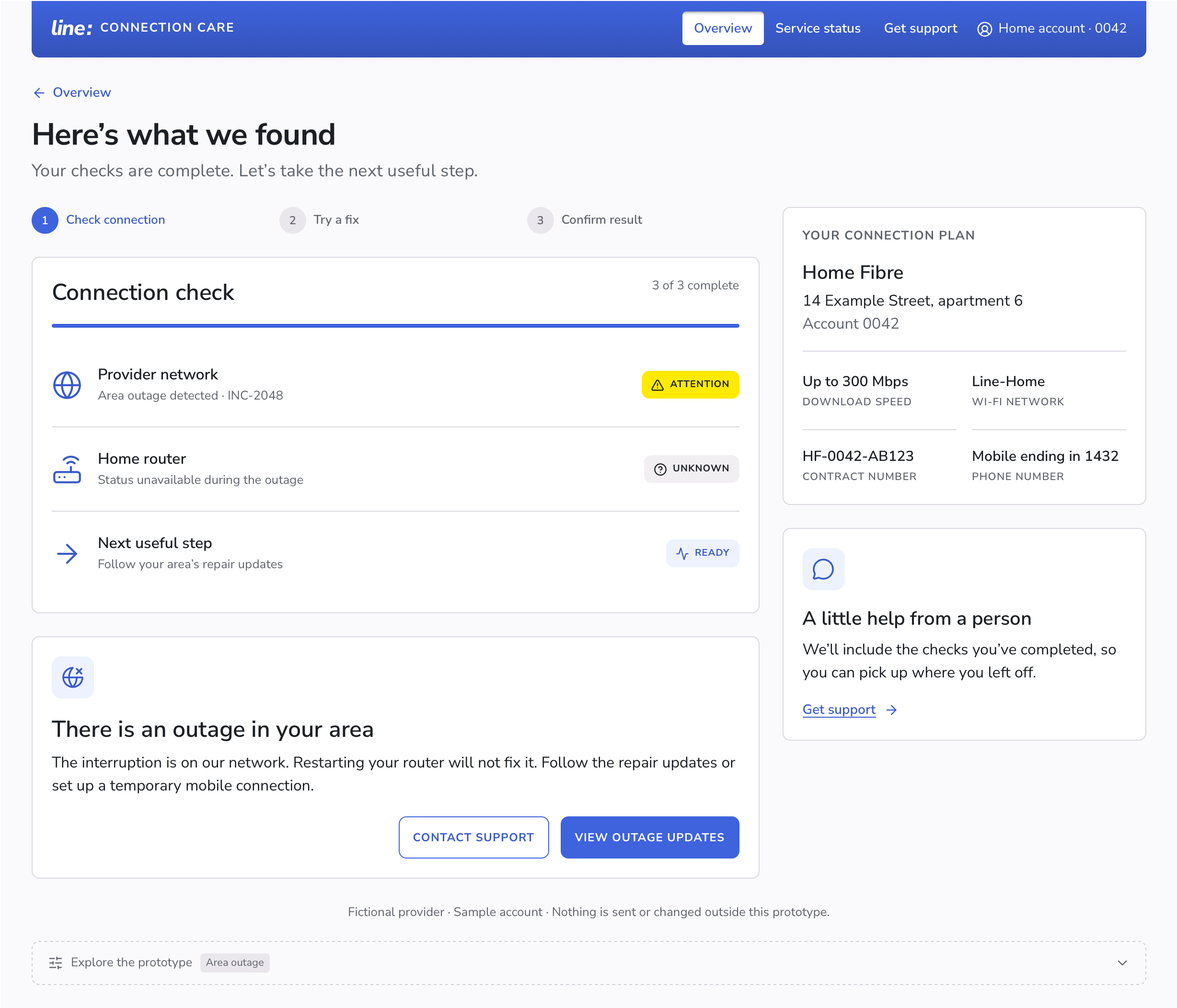
The guided check helps users distinguish a provider outage from a router or device problem, using the information available. Each result has a short explanation and a relevant next step.
The response changes with the scenario. A known area outage leads to service updates. An unreachable router leads to checks the customer can perform at home.
Give one manageable set of steps at a time
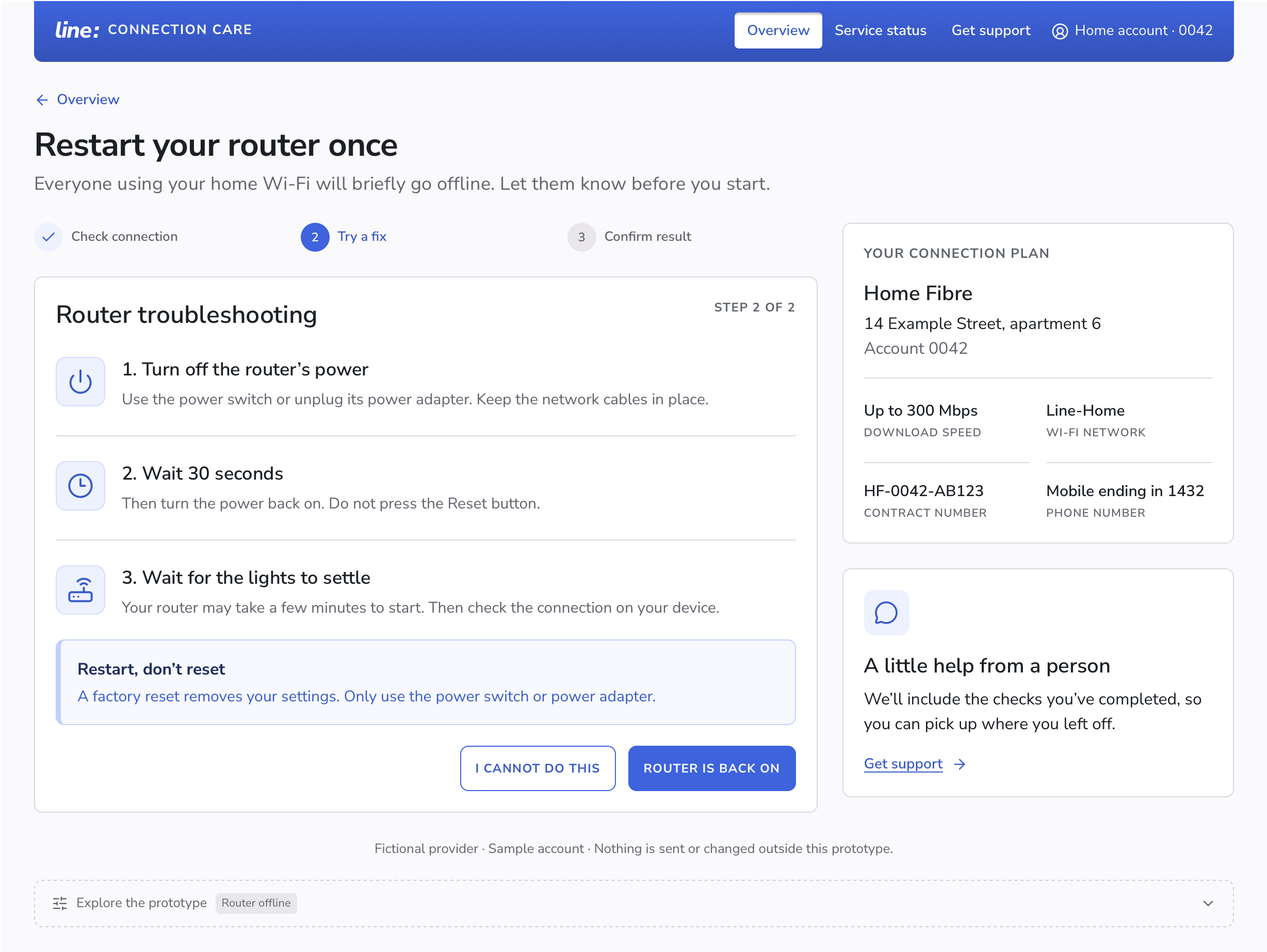
When the router is offline, the guide starts with power and cable checks. If the problem remains, it explains how to restart the router. It warns that everyone will briefly lose their connection and explains why a restart is different from a factory reset.
The customer confirms whether the connection works. If the steps cannot be completed or the issue remains, there is a route to support.
Explain repair progress and timing
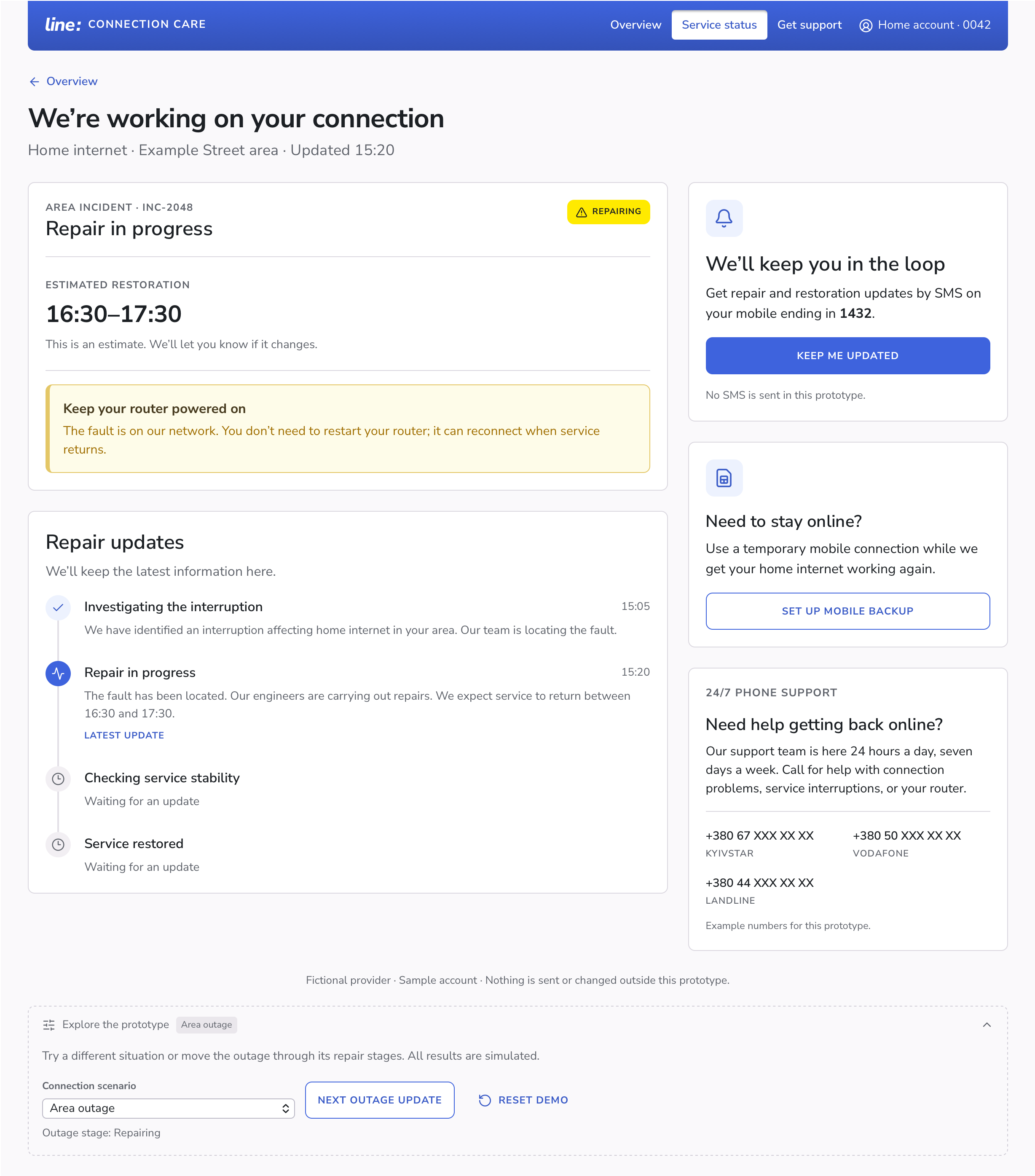
During a provider outage, customers need repair information rather than fixes to try at home. The service-status page shows repair progress, previous updates, and an estimated time for service to return when available.
Customers can choose text-message updates and review a temporary mobile internet option. The first demo stage shows that a repair time is not yet available. Later stages show updated repair information.
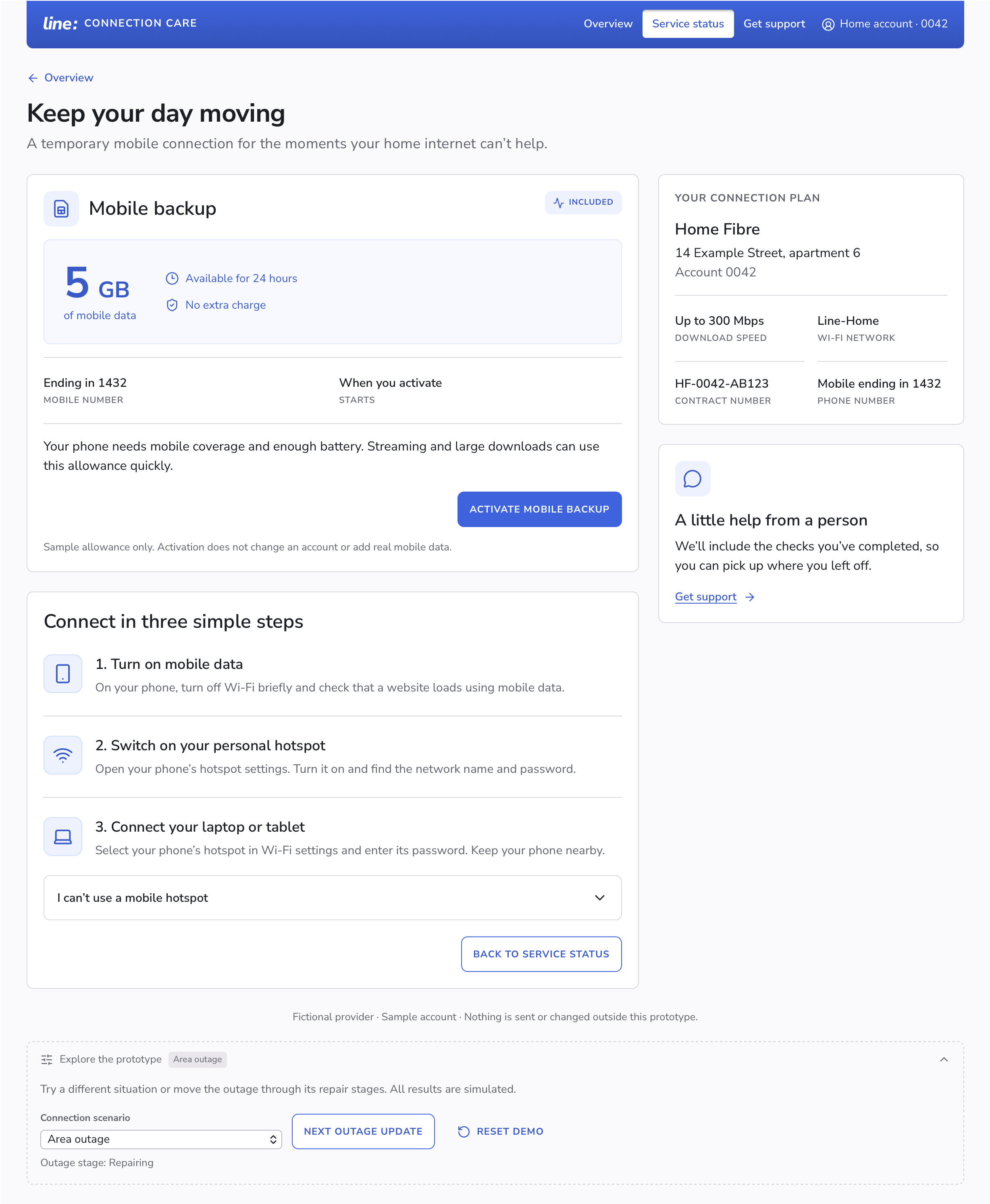
Explore the temporary backup option
The sample offer explains the data allowance and duration before activation. After activation, it provides steps for connecting through a phone hotspot.
Let support pick up where self-service ends
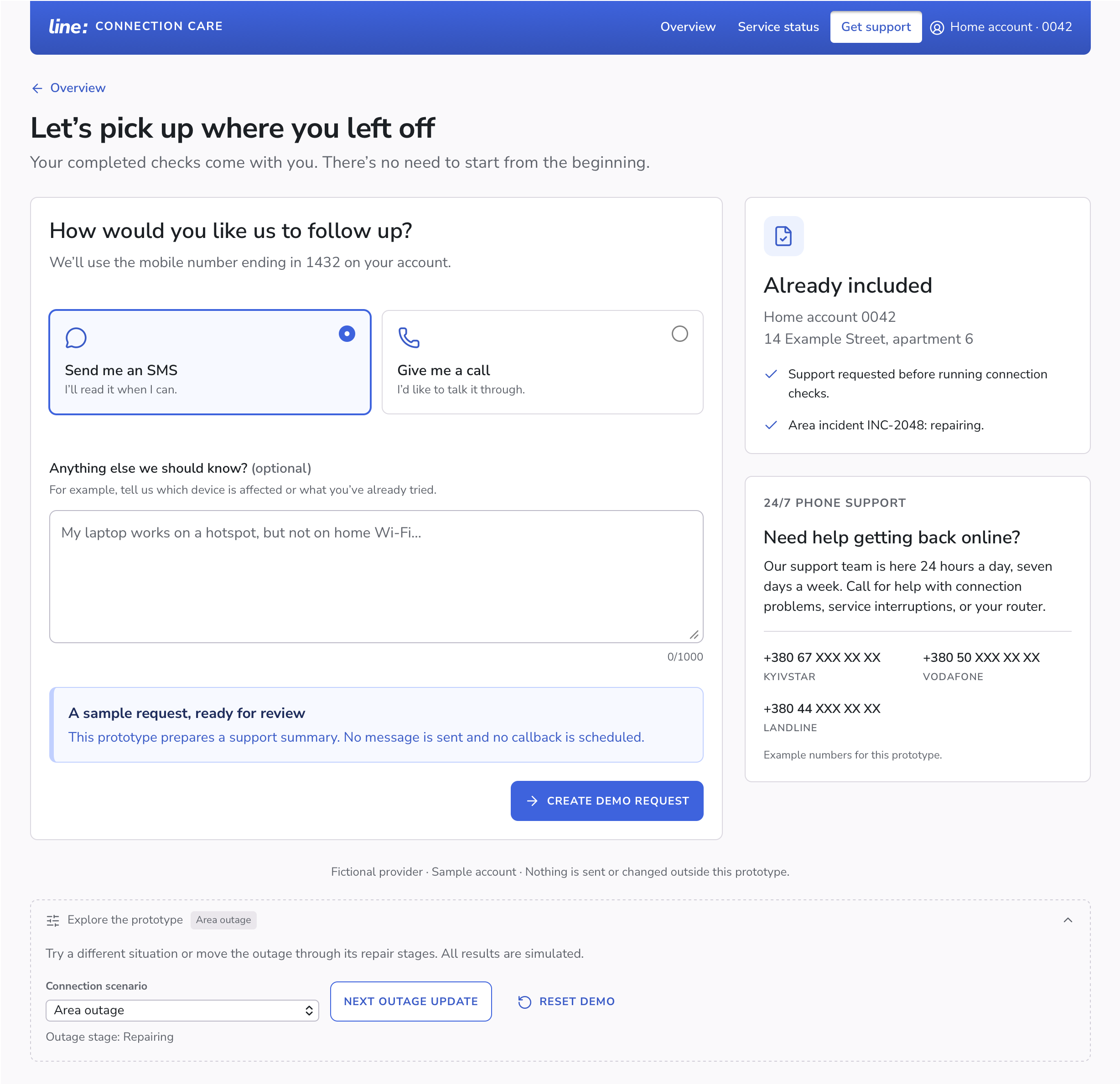
The support screen gathers the available context in an “Already included” summary: the incident status, plus any completed connection checks and attempted fixes. The customer chooses a text message or a call and can add a note.
The demo request brings these details together for review. The goal is to help customers request support without repeating the checks and fixes they have already tried.
A familiar interface for an everyday service
I chose a friendly visual direction: Nunito Sans, Radix colors, and Lucide icons. Clear labels accompany status colors and icons, while a consistent card structure connects the different parts of the journey.
The responsive layout adapts to desktop and mobile screens. Shared components keep the different troubleshooting paths consistent.
What this prototype demonstrates
The interactive prototype connects connection status, troubleshooting, repair updates, temporary mobile internet, and support. Reviewers can try the different paths and see how the next step changes with each situation.
This is a design exploration, with no measured customer or business outcomes. It has not been validated through user research.
What I would validate next
- Can people distinguish a provider outage from a problem at home?
- Can they follow the router instructions safely and know when to stop?
- Does the support summary give customers and agents enough useful context?
Try the prototype
Open “Explore the prototype” below the app’s footer to switch between the three connection scenarios. In the outage scenario, “Next outage update” moves the incident through its repair stages.
Open line.misnikas.com ↗All actions use sample data. The prototype does not control routers, activate mobile plans, send messages, or schedule callbacks.