Logistics Dispatch Platform
I designed a shared workspace for logistics teams to review schedules, assign shipment segments, and manage shipment records. The design brought together information previously spread across spreadsheets.

Information was spread across spreadsheets
Dispatch schedules and shipment details were stored in separate Excel sheets. Dispatchers had to check several sources to understand a shipment’s status.
The goal was to bring schedules, unassigned shipment legs, and load records into one workspace for dispatchers.
My contribution
I was the only designer on this project. My work covered the dispatch dashboard, its leg cards and interaction states, and the load-management interface shown here. This case study shows how dispatchers review the schedule, inspect shipment details, assign legs, and manage load records.
My Working Process
Fragmented schedules and shipment records → shared timeline → leg-card states and detail views → assignment interactions → connected load-management design.
I organized the design around the decisions dispatchers need to make: what is planned, what still needs assigning, and where a shipment leg belongs. I put planned and unassigned work on one time axis, kept details alongside the schedule, and added placement feedback for drag-and-drop assignment. The resulting interface designs connect daily planning to a structured load record, with compact summaries for scanning and deeper views for review.
Bring planned and unassigned work together
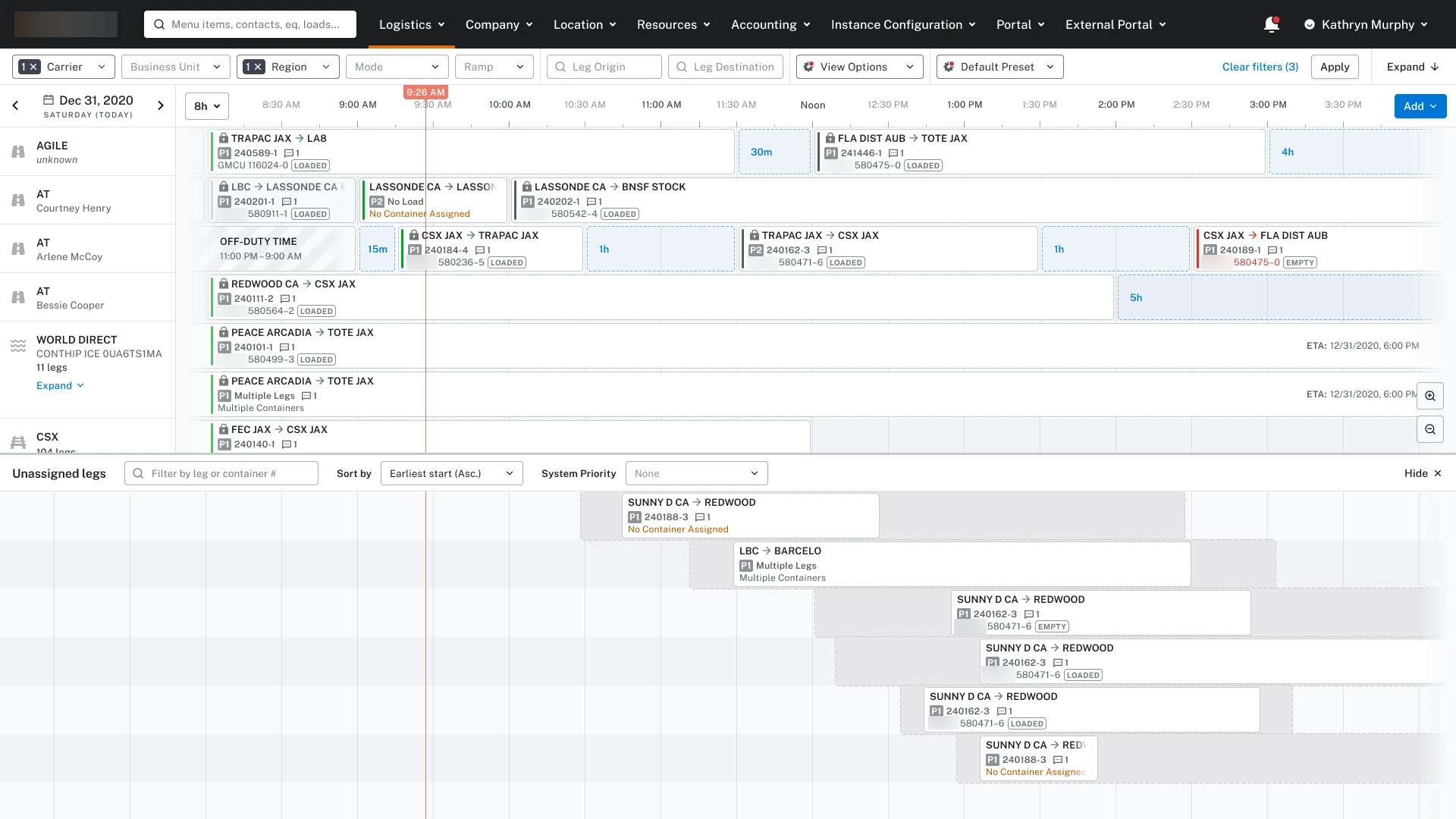
The dashboard shows scheduled work and unassigned shipment legs on the same timeline. Separate rows show resources, gaps show available time, and a marker shows the current time.
Filters let dispatchers narrow the view. The unassigned area keeps shipment legs that still need scheduling visible.
What is a leg? A leg is one segment of a shipment’s journey. A load is the shipment being managed. It can have several legs using different types of transportation.
Make each leg readable at a glance
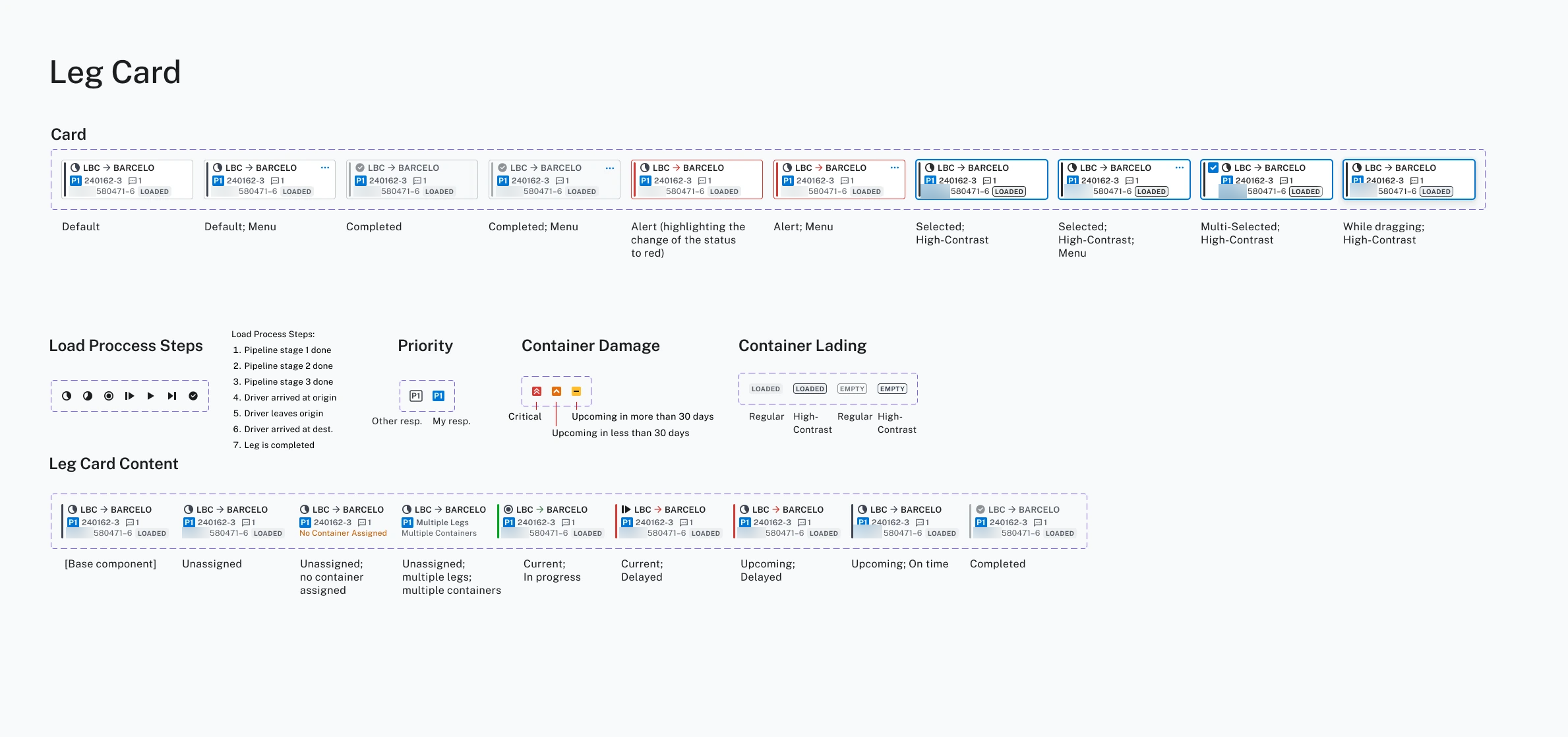
Each leg card shows its origin, destination, priority, reference numbers, and container status.
I designed variants for unassigned, in-progress, delayed, and completed work, alongside selected and dragging states. The same compact structure remains recognizable as its state changes.
Identify the shipment leg
Keep the route, leg reference, and container information together.
Highlight delays and missing assignments
Make missing assignments, delays, and alerts visually distinct.
Show interaction state
Keep the card recognizable while showing when it is selected or being dragged.
Show details alongside the schedule
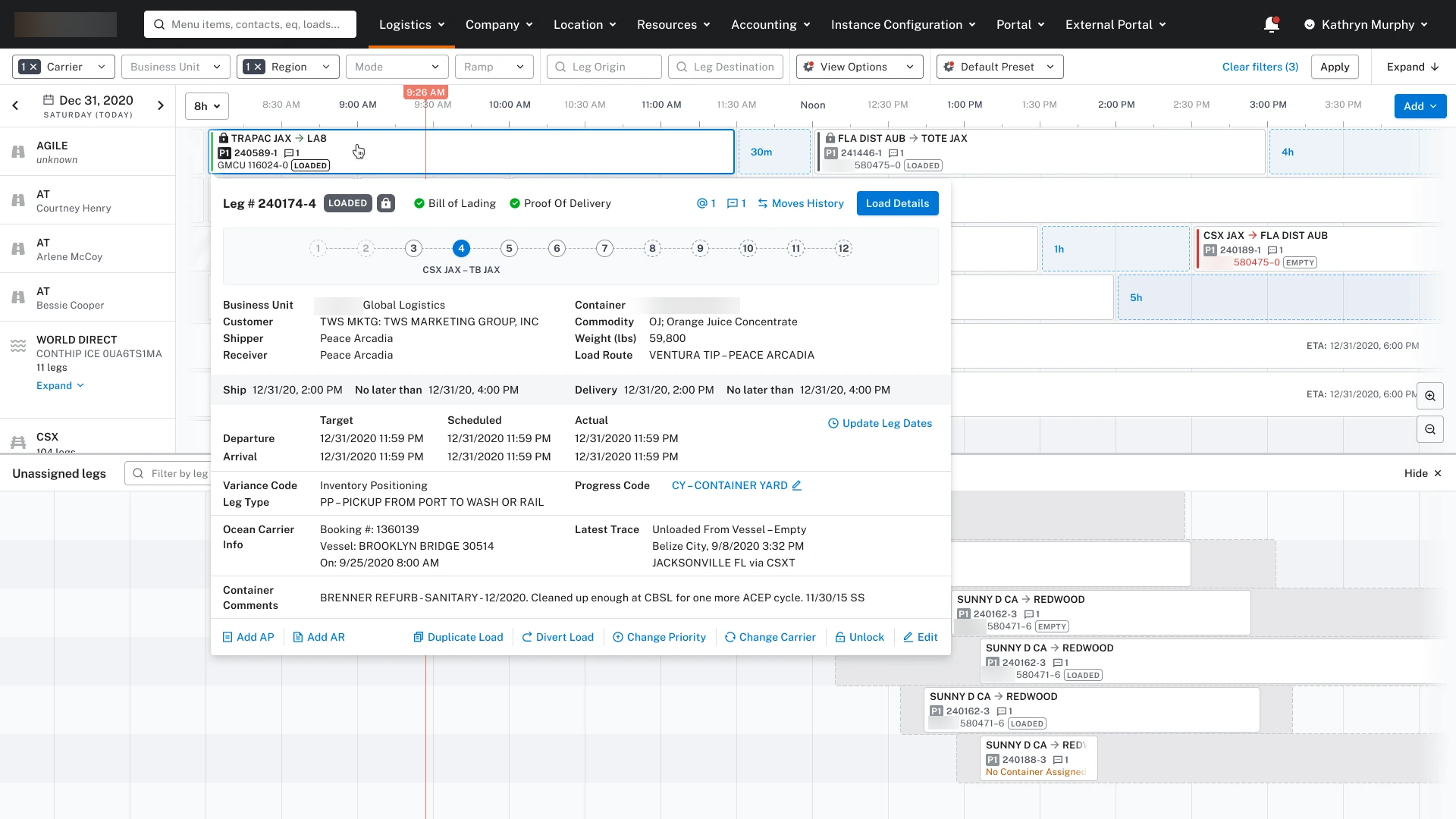
The detail panel shows shipment progress, document status, customer and container details, and dates and times. The schedule remains visible behind it.
Related actions are available in the same view, including updating dates, changing priority, and opening the load record.
Make placement visible while assigning work
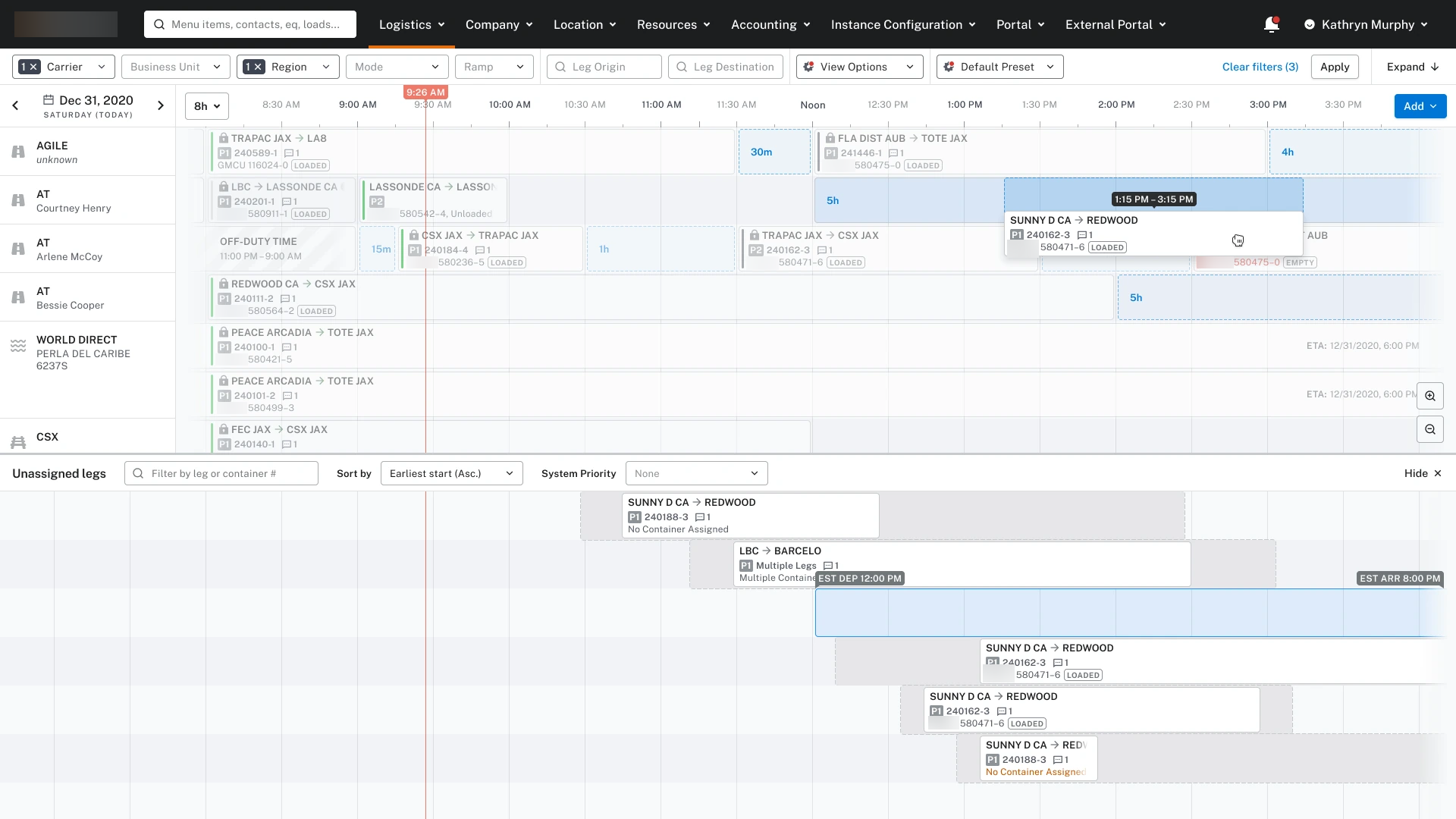
The drag-and-drop design moves a leg from the unassigned area into the dispatch timeline. A highlighted target row, time range, and placement label show where the card is being positioned.
The card remains recognizable while it is dragged, and the unassigned area stays visible below the schedule.
Connect the schedule to a structured load record
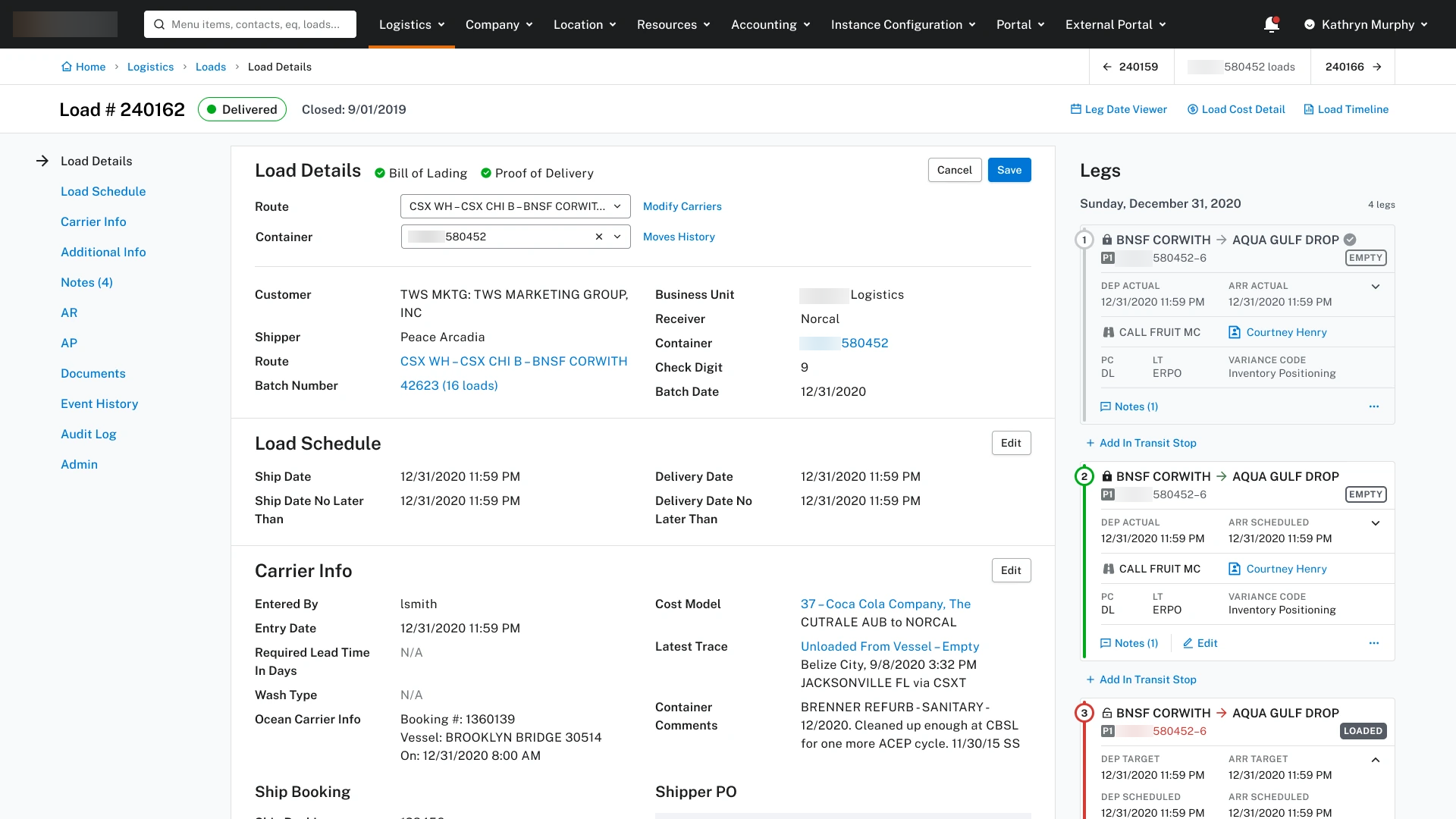
The Load page brings related information into named sections. Navigation on the left provides a route through the record, while the leg sequence on the right keeps the shipment’s movements in view.
Users can edit one section of the load record at a time. In this example, they can update the route and container, then choose Save or Cancel while the other load details remain visible.
Explore the complete load record
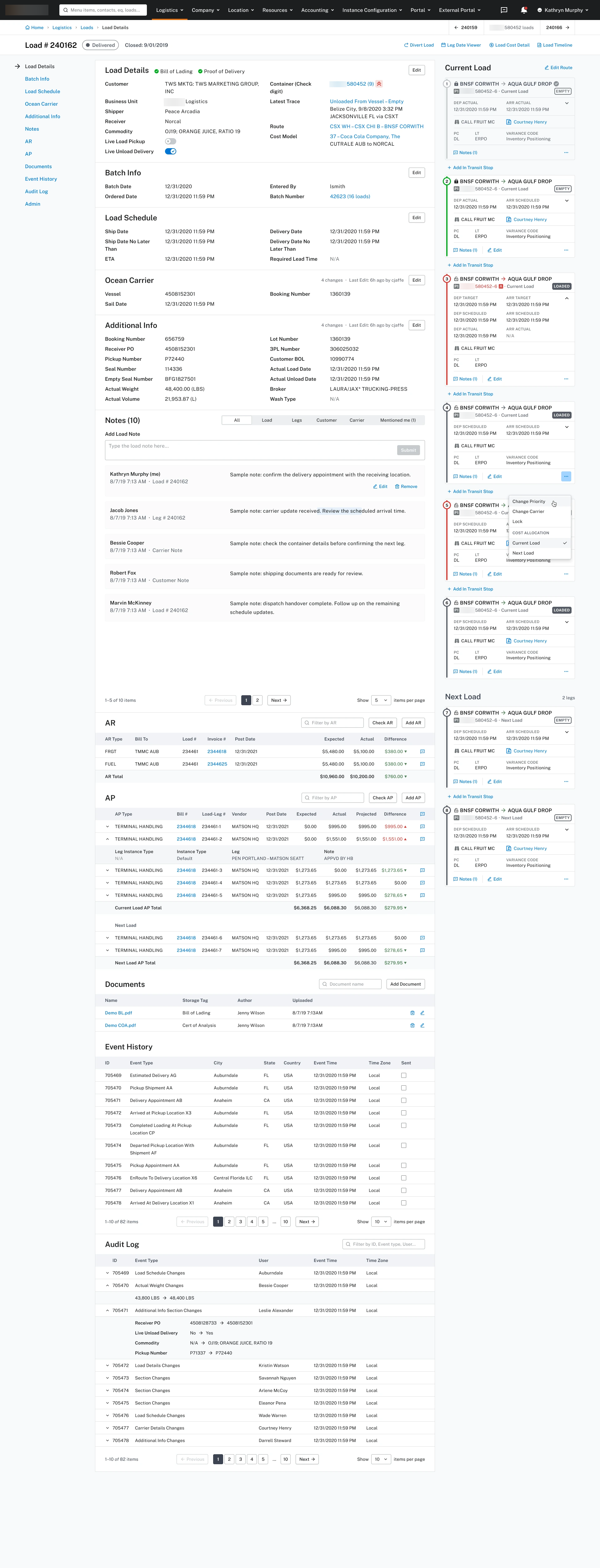
The complete view brings together schedule and carrier information, notes, receivables, payables, documents, event history, and the audit log. Its section navigation gives this large record a consistent structure.
A connected workflow for dispatch
I connected the schedule, leg details, assignment states, and load record in a consistent interface. Dispatchers can scan the day’s schedule, inspect a shipment leg, or open the full load record.
Designing for operational complexity
Start with the working context
Organize the workspace around time, resources, and the movements dispatchers manage.
Show a summary first, then details
Use compact cards for scanning, extended views for inspection, and structured records for deeper work.
Keep related information connected
Keep each shipment leg linked to its load record during planning, review, and editing.