AI Creative Workspace
I improved navigation, designed shared interface components, and created an AI chat workflow that helps users write and edit project briefs.
A workspace for developing ideas
The platform helps creative teams, studios, agencies, and freelancers develop project briefs and client concepts. Users can explore ideas with AI personas that simulate different perspectives.
I joined an existing product that had added features its original navigation no longer supported. I focused on making the workspace easier to understand and improving how we tested design ideas.
My contribution
I led user experience (UX) improvements, redesigned navigation, designed the user interface (UI) library, and designed interactions with AI. I also directed and reviewed AI-generated prototypes. I worked with a product owner, a business analyst, two Angular developers, a quality assurance (QA) engineer, and an AI architect. The architect was responsible for the AI infrastructure and retrieval-augmented generation (RAG) system.
My Working Process
Initial Figma draft → client feedback → requirements workshop → prototype iterations with the client → production release.
The first Document Builder draft showed that we needed a clearer shared understanding of the AI conversation. We clarified the requirements in a workshop before refining the working prototype with the client in a separate test environment. I designed the conversation beside an editable brief so users could review suggestions and see what changed. After several iterations, the team released Document Builder to production.
Give a growing product a clearer structure
The original navigation supported a project list and a few pages. As the product added client management, administration, and project tools, I organized them into main sections, links within each section, and tabs for related views.
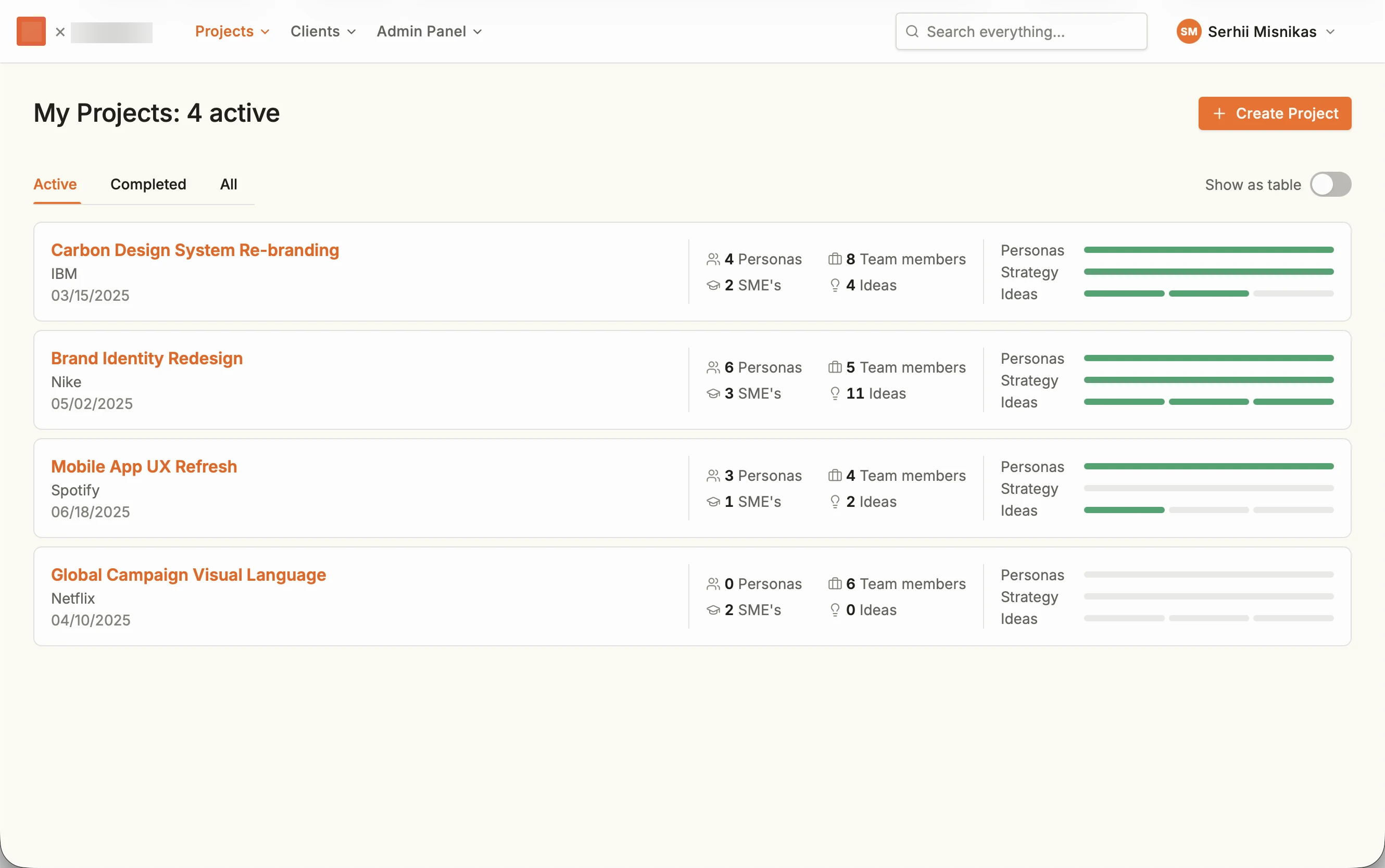
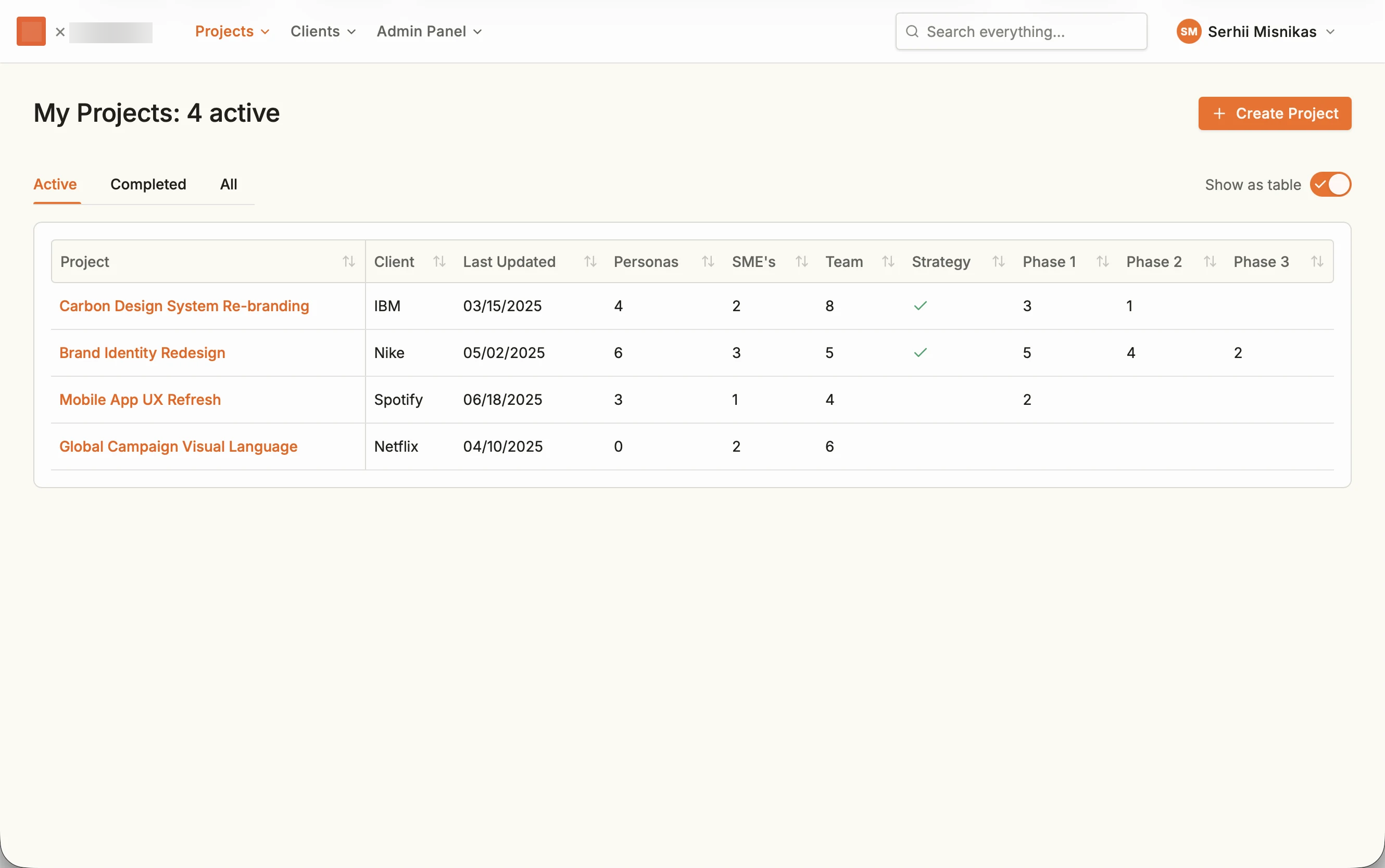
The dashboard brings participants and project progress together. Cards provide a visual overview; a table offers a compact way to compare projects.
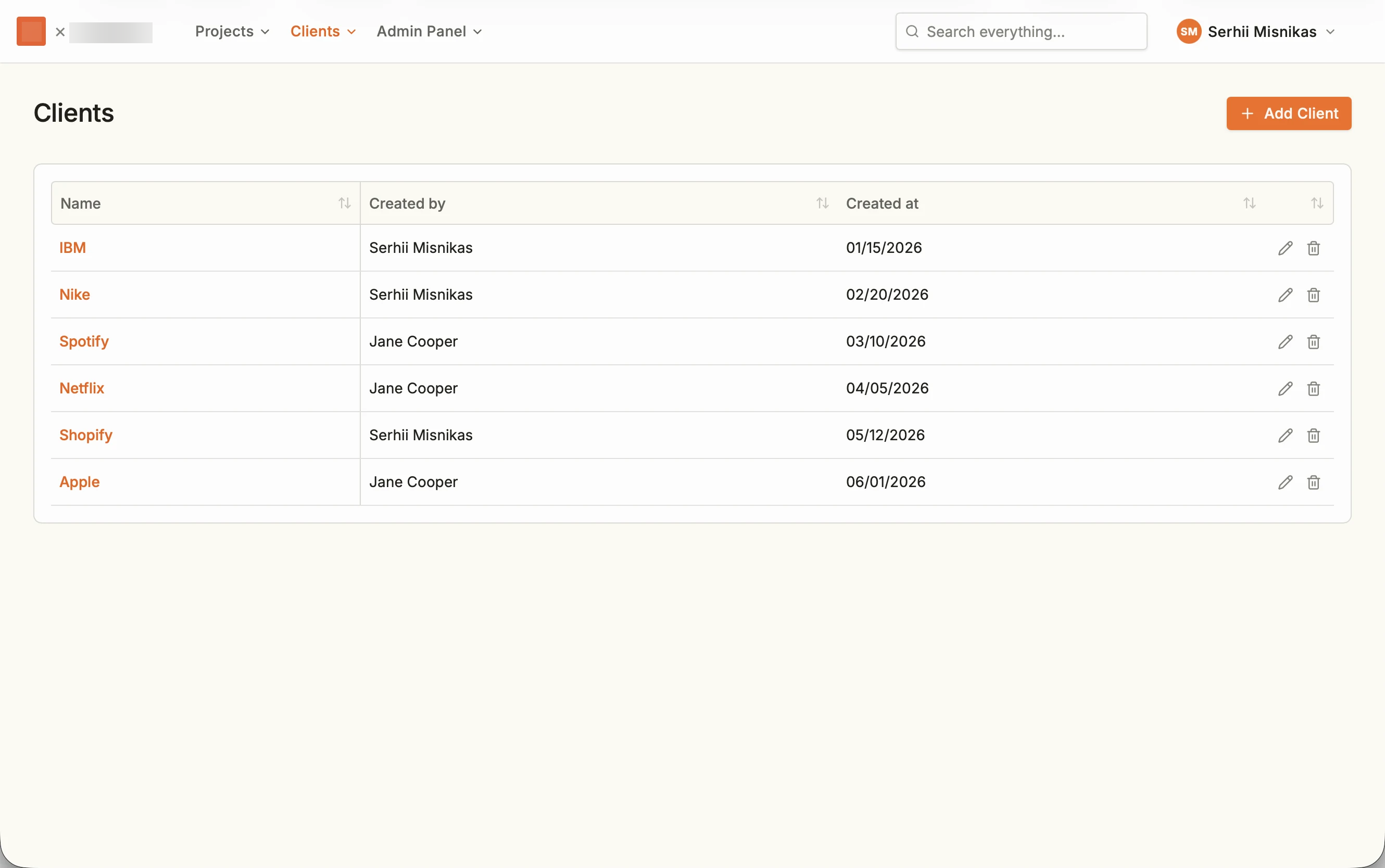
Prototype screens with sample content. Company names illustrate the interface and do not represent a client list. Select any screen to view it at full size.
Compare the table view and client directory
Find information across the workspace
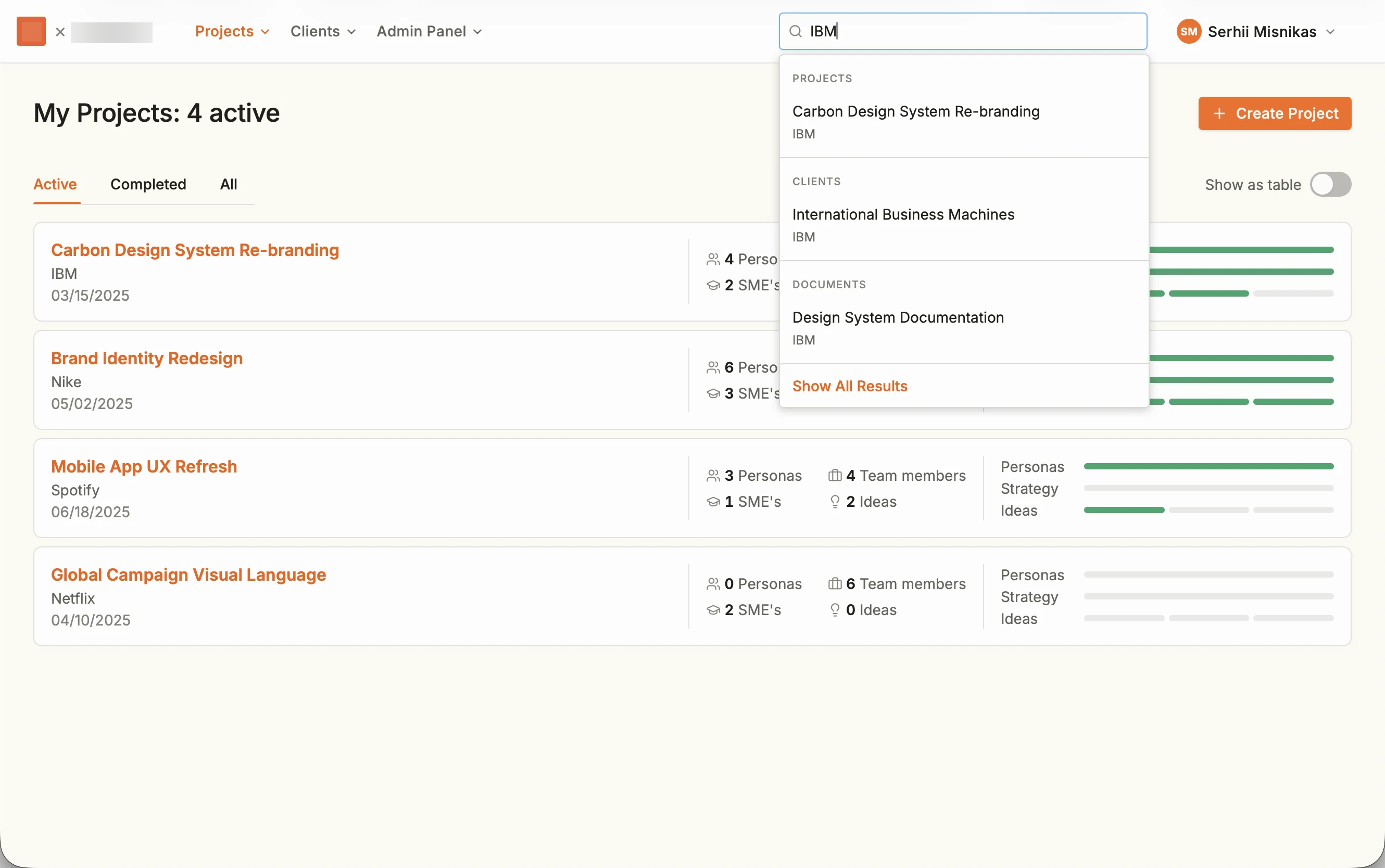
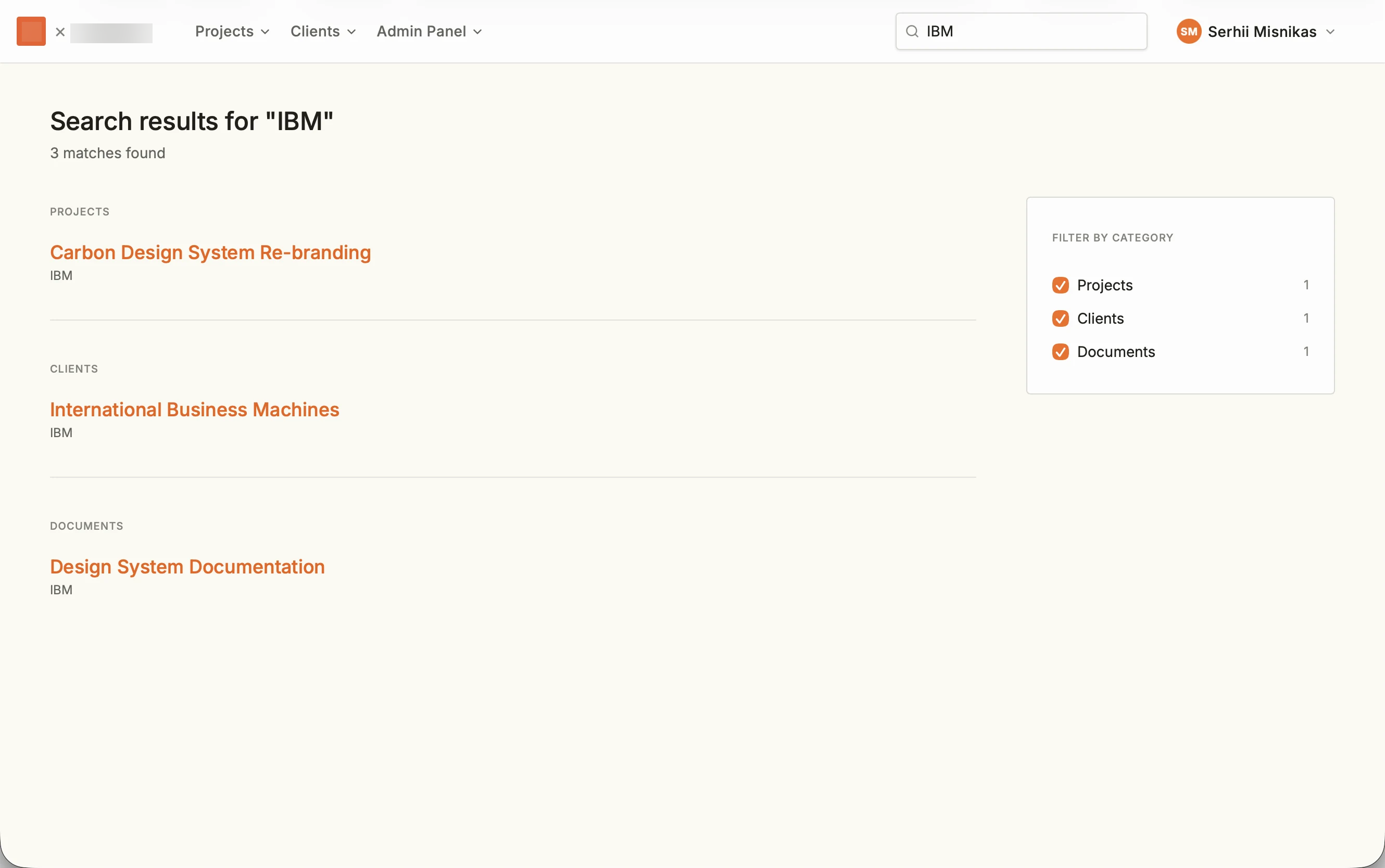
The product did not have a search feature covering the whole workspace. I designed a search entry point with grouped suggestions and a separate results page.
A single search can return a project, its client, and related documents. Category filters help users narrow the results.
Explore the full search results
From conversation to opportunity brief
Document Builder helps teams develop a design or opportunity brief through a conversation with AI, alongside a structured document they can edit.
The first Figma draft did not meet the client’s expectations. Their feedback showed that we needed to discuss the requirements more thoroughly before refining the design.
A workshop clarified how the AI conversation should work. We then built and refined the prototype with the client in a separate test environment, improving the chat and fixing bugs. After several iterations, the team released the feature to production.
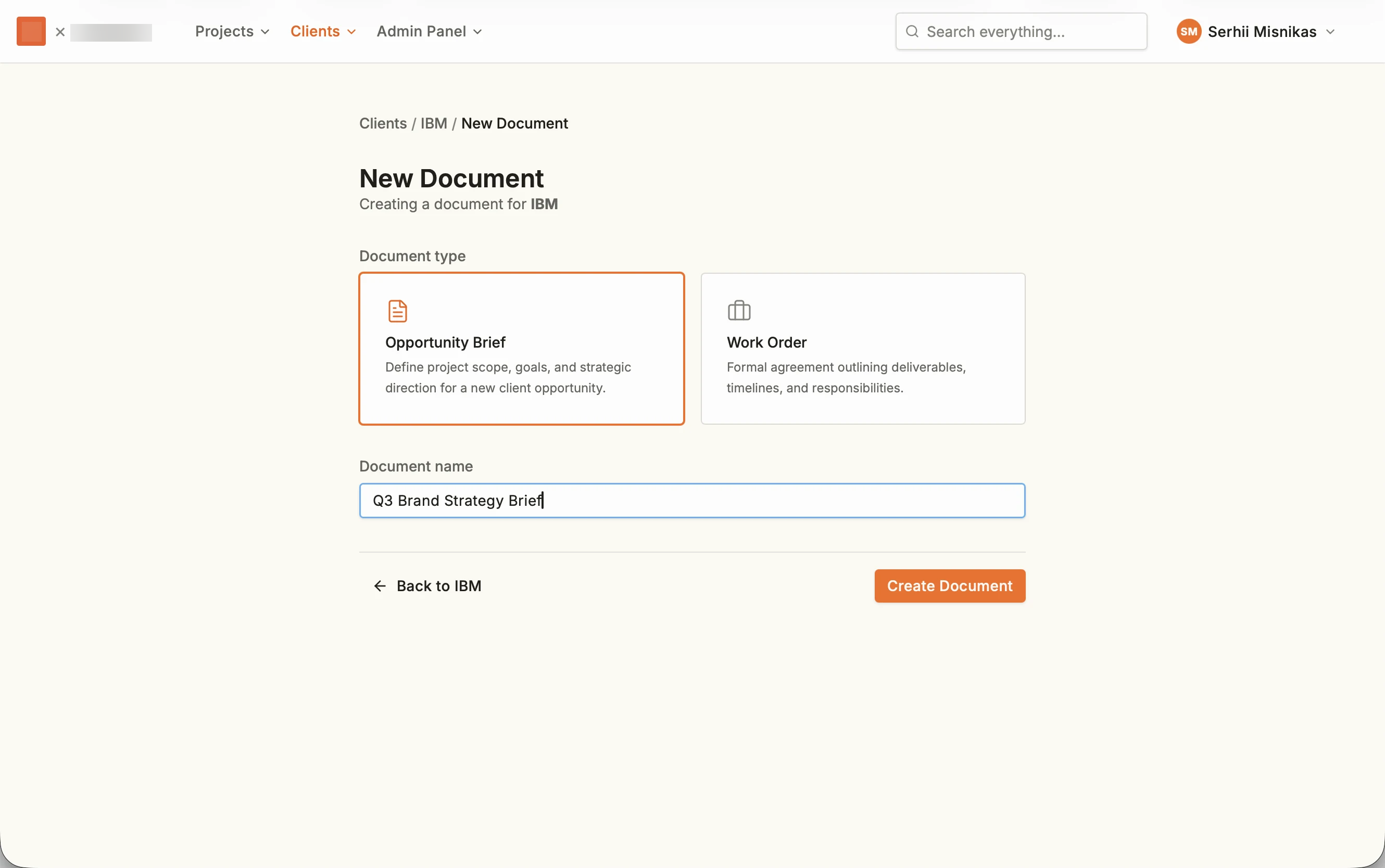
01 · Set up the document
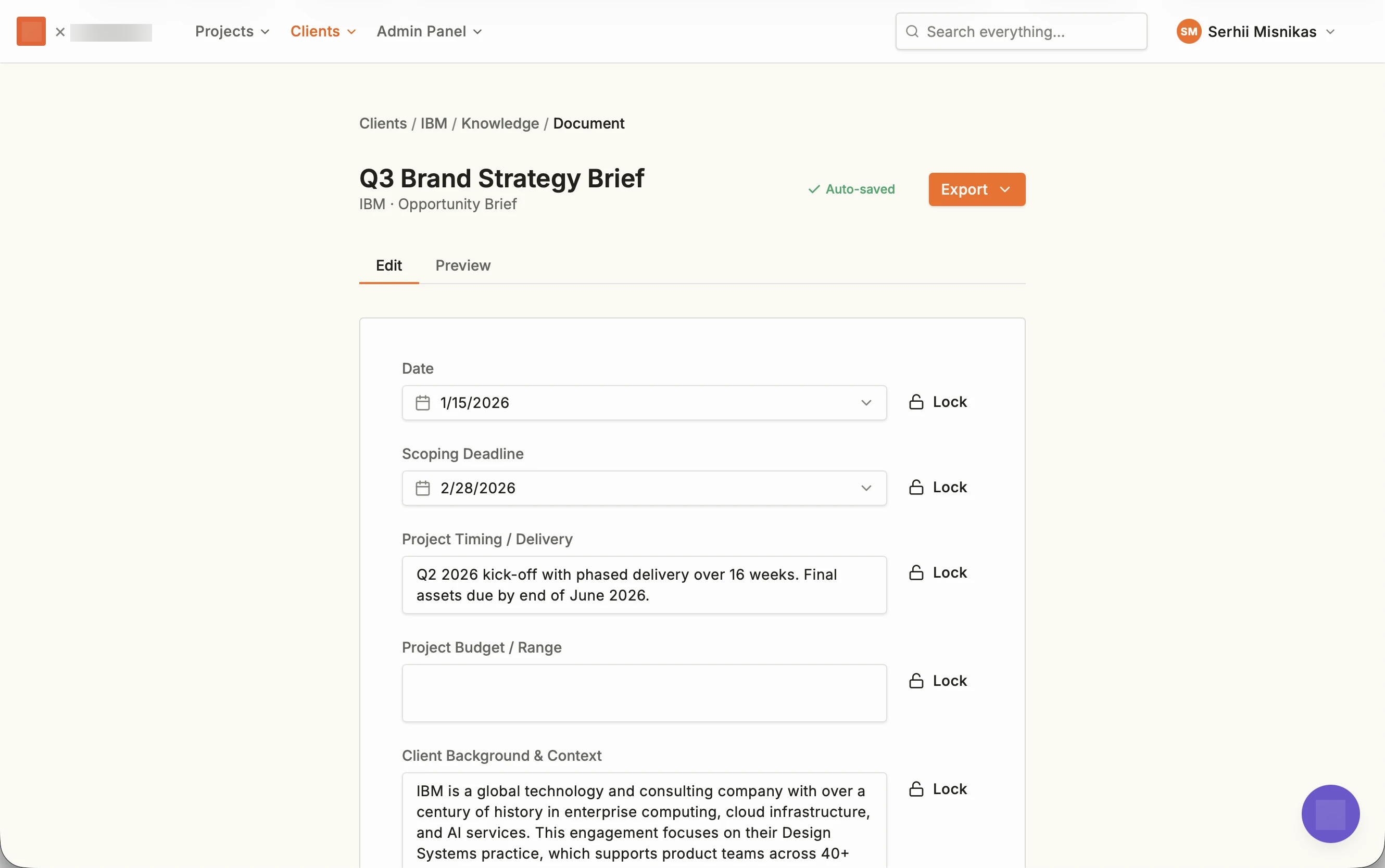
Choose a document type and name, then work with structured fields in the editor.
See the initial document editor
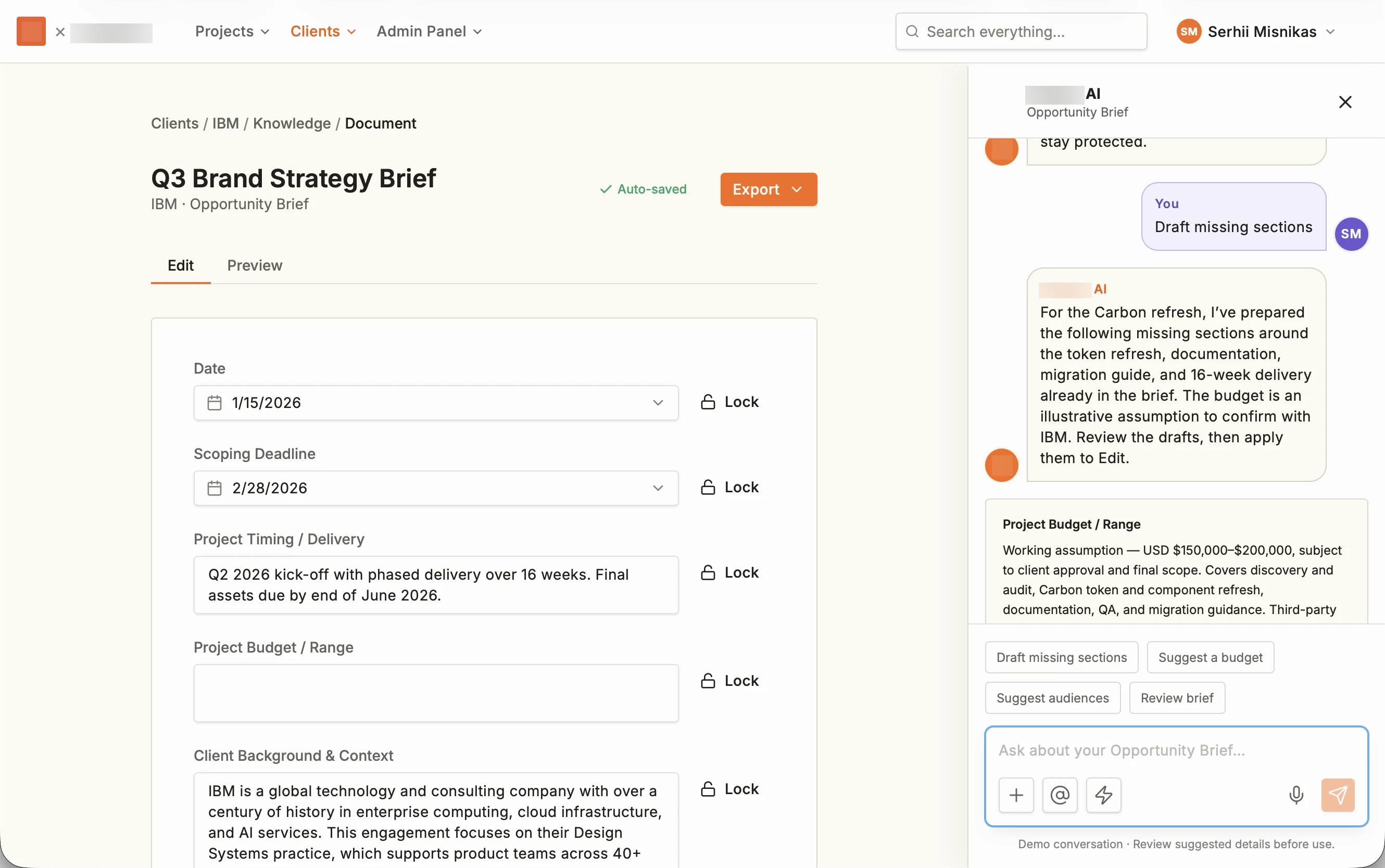
02 · Discuss the missing pieces
The conversation stays beside the brief. “Draft missing sections” produces suggestions for incomplete fields. The example labels its budget as a working assumption that needs confirmation.
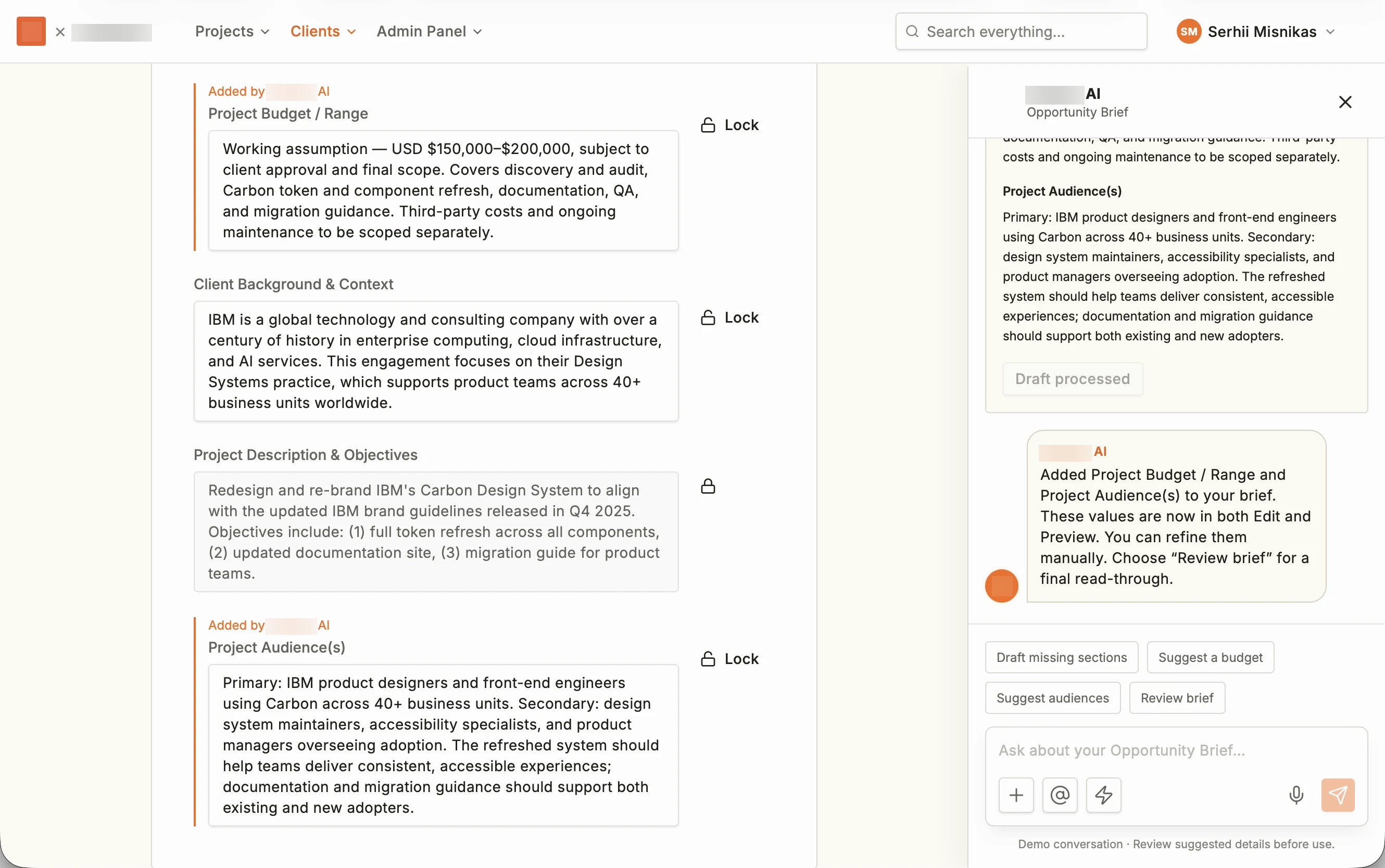
03 · Apply and refine the draft
Once applied, suggested sections are labeled as AI additions. Users can identify the additions and continue refining the document.
Give document generation a shared starting point
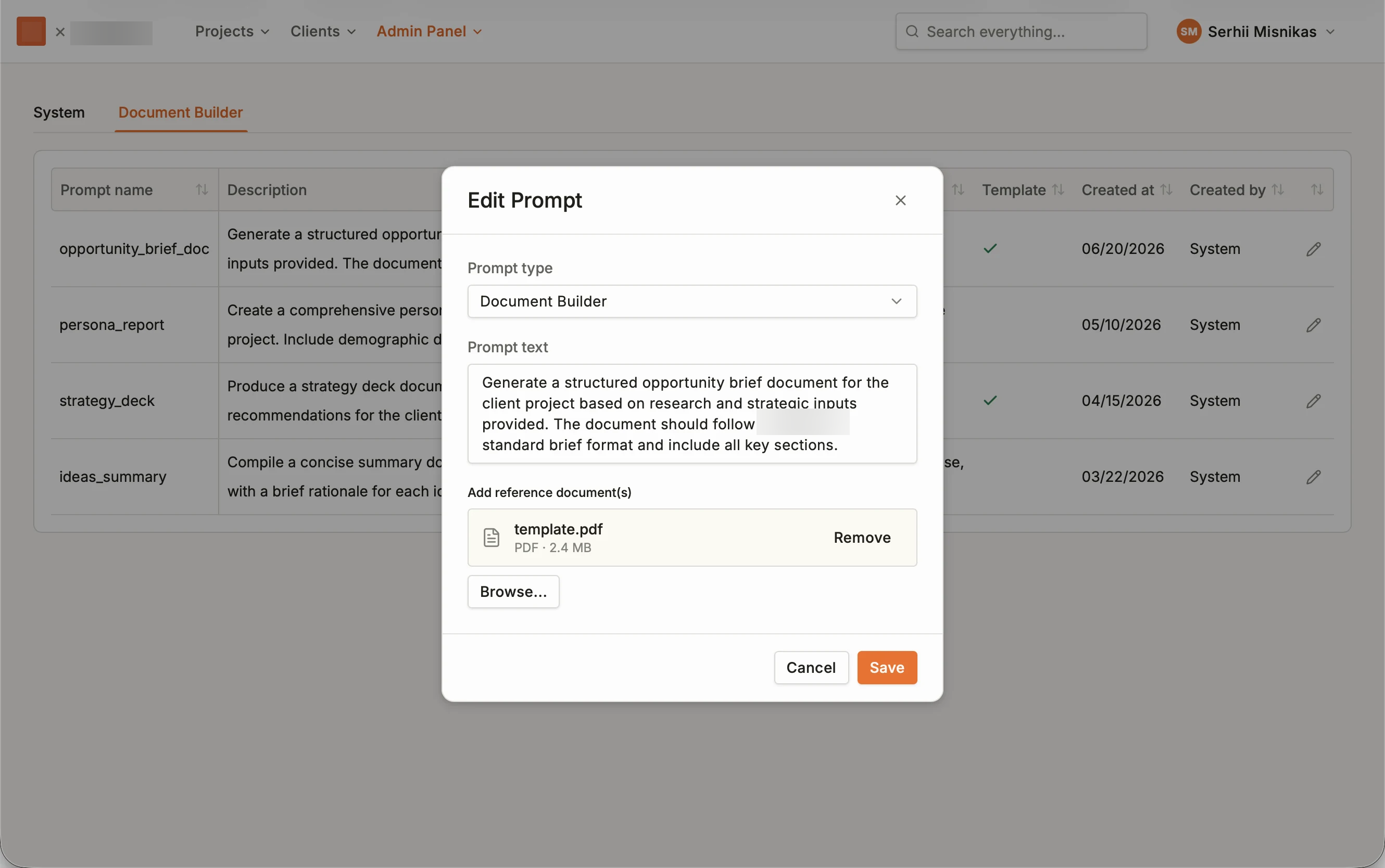
The prompt library lets administrators update AI instructions and reference templates. Teams can define the structure and guidance for each document type.
In this example, the opportunity-brief prompt refers to a standard format and an attached template.
Build the prototype from shared components
I designed a shared UI library for navigation, forms, tables, feedback, and AI chat. Claude Code wrote the implementation under my direction. The prototype used these shared components to keep design changes consistent.
We used a separate test environment where the client could help refine working interfaces. Designs selected during prototyping could then move into production development.
Plan
I used Claude to help plan changes and turn requirements into implementation tasks.
Prototype
Claude Code wrote the code using the shared components. I directed the design and refinements.
Review
I reviewed the pages and interactions and used OpenAI Codex for quality checks, testing, and debugging. I used the results to refine the prototype.
What changed
The team released the revised navigation, which received positive informal feedback. We refined Document Builder with the client and released it to production.
The shared UI library supported further prototyping. I did not conduct formal usability testing on this project, so the informal feedback does not establish a measured usability improvement.
What I learned
Faster prototyping depends on a shared understanding of the problem. AI helped us iterate; the workshop clarified what we needed to build.
AI personas can support early exploration through simulated perspectives. They do not replace research with real customers.